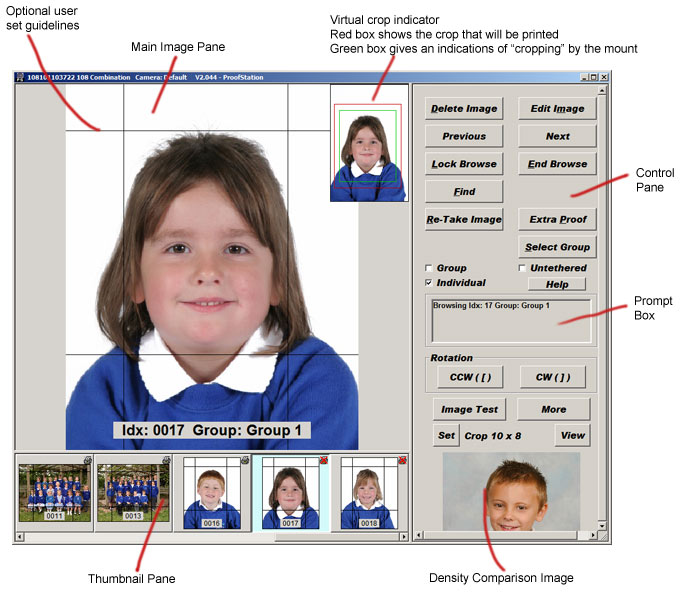
| Main Image Pane | Description of the main image pane |
| Thumbnail Pane | Description of the thumbnail image pane |
| Control Pane | Description of the control pane |
| More Controls | Description of the additional (more) controls dialog |
| Remote Operation | Taking pictures untethered |
| Image Test | How to use the image test dialog |
| Program Settings | The program setting dialog |
When the program is running the screen is split up into three main areas; the Main Image pane, where each image is displayed as it is taken., the thumbnail image pane below the main image pane and the Control pane where there are a number of buttons to control the various functions of the program, a prompt box for feedback information for the user and a density comparison image.